Facebook Ads Not Spending? 15 Reasons Your Campaign Isn't Delivering (And How to Fix It)
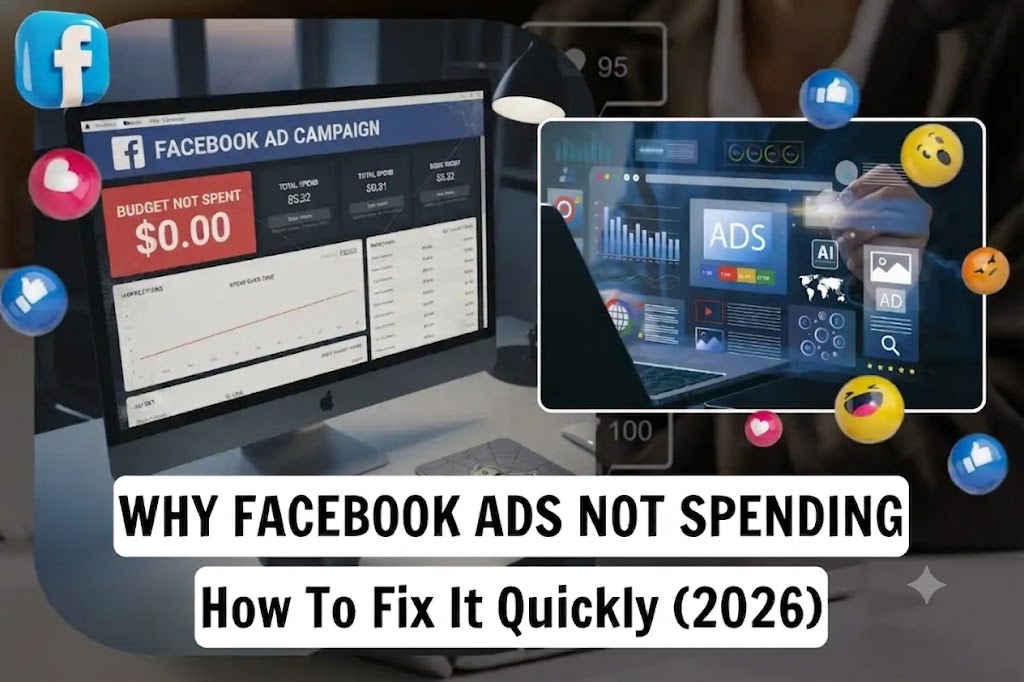
Facebook Ads Not Spending? 15 Reasons Your Campaign Isn't Delivering (And How to Fix It)
Launching a Facebook campaign only to see $0.00 spent after several hours can be frustrating. Your campaign appears active, your payment method is valid, and no policy violations are shown—yet your ads simply don't deliver.
This issue affects both beginners and experienced advertisers. Fortunately, in most cases, it isn't caused by a platform bug. Instead, it's usually the result of account settings, campaign configuration, audience limitations, bidding strategy, or optimization signals.
This guide explains how Meta's delivery system works, why campaigns sometimes fail to spend, and the practical steps you can take to restore normal delivery.
What Does "Facebook Ads Not Spending" Mean?
A campaign is considered not spending when:
- The campaign status is Active.
- Ads are Approved.
- The budget is available.
- The amount spent remains at $0 or increases very slowly.
- Impressions are extremely low or remain at zero.
In other words, Meta has accepted your campaign but isn't finding enough opportunities to deliver it in the ad auction.
How Meta Decides Whether to Deliver Your Ads
Every time a user opens Facebook, Instagram, Messenger, or Audience Network, Meta runs an auction to decide which advertisement to show.
Your campaign competes based on several factors:
- Estimated action rate
- Ad quality
- Bid strategy
- Audience availability
- Budget
- Historical account performance
- Optimization signals
Winning more auctions means your campaign spends more budget.
Losing auctions consistently often results in low or zero delivery.
15 Reasons Your Facebook Ads Are Not Spending
1. Your Ads Are Still Under Review
Before an ad can enter the auction, Meta reviews its creative, copy, destination URL, and compliance with advertising policies.
If the review hasn't finished, delivery won't begin.
How to fix
- Wait several hours.
- Avoid editing the campaign while it's under review.
- Check the Delivery column for updates.
2. Your Audience Is Too Small
An overly restrictive audience limits Meta's ability to find eligible users.
Common mistakes include:
- Narrow age ranges
- Multiple interest layers
- Small geographic locations
- Excessive exclusions
Solution
Broaden targeting and allow Meta's optimization system more flexibility.
3. Your Budget Is Too Low
A very small daily budget may not be competitive enough for high-demand audiences.
For expensive industries like finance or SaaS, low budgets can significantly reduce delivery opportunities.
4. Bid Controls Are Too Restrictive
Manual bidding strategies such as Bid Cap or Cost Cap can prevent Meta from entering enough auctions if your limits are set below market conditions.
Recommendation
If you're not experienced with manual bidding, use Highest Volume to allow the system to bid dynamically.
5. Account Spending Limit Has Been Reached
Many advertisers forget they previously configured an Account Spending Limit.
Once that limit is reached, every campaign in the account stops delivering until it's updated.
6. Payment Problems
Meta pauses delivery when billing issues occur.
Examples include:
- Expired credit card
- Failed payment
- Outstanding balance
- Bank verification issues
Always check your payment settings before troubleshooting campaign configuration.
7. Pixel or Conversion Tracking Issues
If your campaign optimizes for conversions but Meta receives little or no conversion data, delivery may slow because the algorithm lacks reliable optimization signals.
Check:
- Pixel installation
- Event configuration
- Conversions API (if used)
- Event prioritization
8. Learning Phase Limitations
New ad sets require time to collect optimization data.
If the campaign receives very few conversion opportunities, delivery may remain limited while Meta continues learning.
Avoid making frequent edits during this stage.
9. Low Ad Quality
Meta evaluates creative quality using user feedback and predicted engagement.
Ads with:
- Weak messaging
- Low CTR
- Poor engagement
- Misleading copy
often receive fewer impressions.
Refreshing creative assets regularly helps maintain healthy delivery.
- See More: Facebook Financial Products Advertising Policy: Complete Compliance Guide for Advertisers (2026)
- See More: Facebook Ads Stuck in Review? 12 Reasons Why It Happens and How to Fix It (2026 Guide)
- See More: Facebook Return on Ad Spend (ROAS): The Complete Guide to Measuring and Improving Ad Profitability in 2026
10. Landing Page Experience
Your landing page influences campaign performance more than many advertisers realize.
Potential problems include:
- Slow loading speed
- Mobile usability issues
- Broken links
- Security warnings
- Poor user experience
A high-quality landing page supports better conversion rates and stronger optimization signals.
11. Audience Overlap
Running multiple ad sets that target the same users can create internal competition.
Instead of increasing reach, your campaigns compete against each other in the auction.
Consolidating similar audiences often improves budget allocation.
12. Campaign Schedule
Always verify:
- Start date
- End date
- Time zone
- Scheduled delivery hours
Incorrect scheduling is a surprisingly common reason campaigns remain inactive.
13. Seasonal Competition
Advertising costs fluctuate throughout the year.
During major shopping events or holidays, increased competition can reduce delivery for campaigns with limited budgets or conservative bids.
14. Recent Major Edits
Significant changes such as:
- Budget increases
- Audience modifications
- Creative replacements
- Optimization event changes
may temporarily reduce delivery while Meta recalibrates campaign performance.
Making several changes simultaneously can extend this adjustment period.
15. Account Quality Issues
If your advertising account has accumulated policy violations or repeated rejected ads, Meta may apply additional review or stricter delivery controls.
Regularly reviewing your Account Quality section helps identify potential issues before they affect campaign performance.
A Simple Troubleshooting Checklist
When a campaign isn't spending, work through this checklist in order:
- Confirm the ad is approved.
- Check billing and payment status.
- Review the Account Spending Limit.
- Verify campaign scheduling.
- Confirm Pixel and conversion events are working.
- Review audience size.
- Remove unnecessary bid caps.
- Test landing page speed.
- Avoid making additional edits while collecting data.
Following a consistent process helps isolate the root cause more quickly than changing multiple settings at once.
Best Practices to Prevent Delivery Issues
To reduce the likelihood of future spending problems:
- Build campaigns with a simple structure.
- Use clear, relevant creative.
- Maintain a healthy account quality score.
- Keep payment methods up to date.
- Test landing pages before launching campaigns.
- Allow campaigns enough time to optimize.
- Monitor key metrics rather than reacting to short-term fluctuations.
Frequently Asked Questions
Why are my Facebook Ads active but spending $0?
This usually indicates a delivery issue rather than an approval issue. Common causes include audience restrictions, spending limits, billing problems, bid settings, or campaigns still under review.
Should I duplicate my campaign if it isn't spending?
Not immediately. Duplicating a campaign creates a new learning process. It's generally better to identify and resolve the underlying issue first.
How long should I wait before troubleshooting?
New campaigns often begin delivering within a few hours, but if an approved campaign has shown no meaningful spend after about 24 hours, it's reasonable to investigate your account settings and campaign configuration.
Does increasing my budget always solve delivery problems?
No. Budget is only one factor. Delivery also depends on audience size, bidding strategy, creative quality, optimization signals, and account health.
Conclusion
Facebook Ads that fail to spend are usually the result of one or more manageable factors rather than a platform error. By systematically checking your account settings, campaign configuration, audience, bidding strategy, tracking setup, and landing page quality, you can identify the root cause and restore delivery more efficiently.
Instead of making repeated changes out of frustration, focus on collecting reliable data, maintaining a healthy advertising account, and following a structured optimization process. Over time, these habits lead to more stable delivery and stronger campaign performance.
Tags: Rent Facebook Agency Ad Account
- Telegram: @AdsAgency_FB
- Email: [email protected]
- Address: 1500 N Grant St Ste B, Denver, CO 80203